The household system
Chores OS
Run your chores like a system.
Know what needs doing without carrying the whole household in your head.
Today's board
3 / 4 done
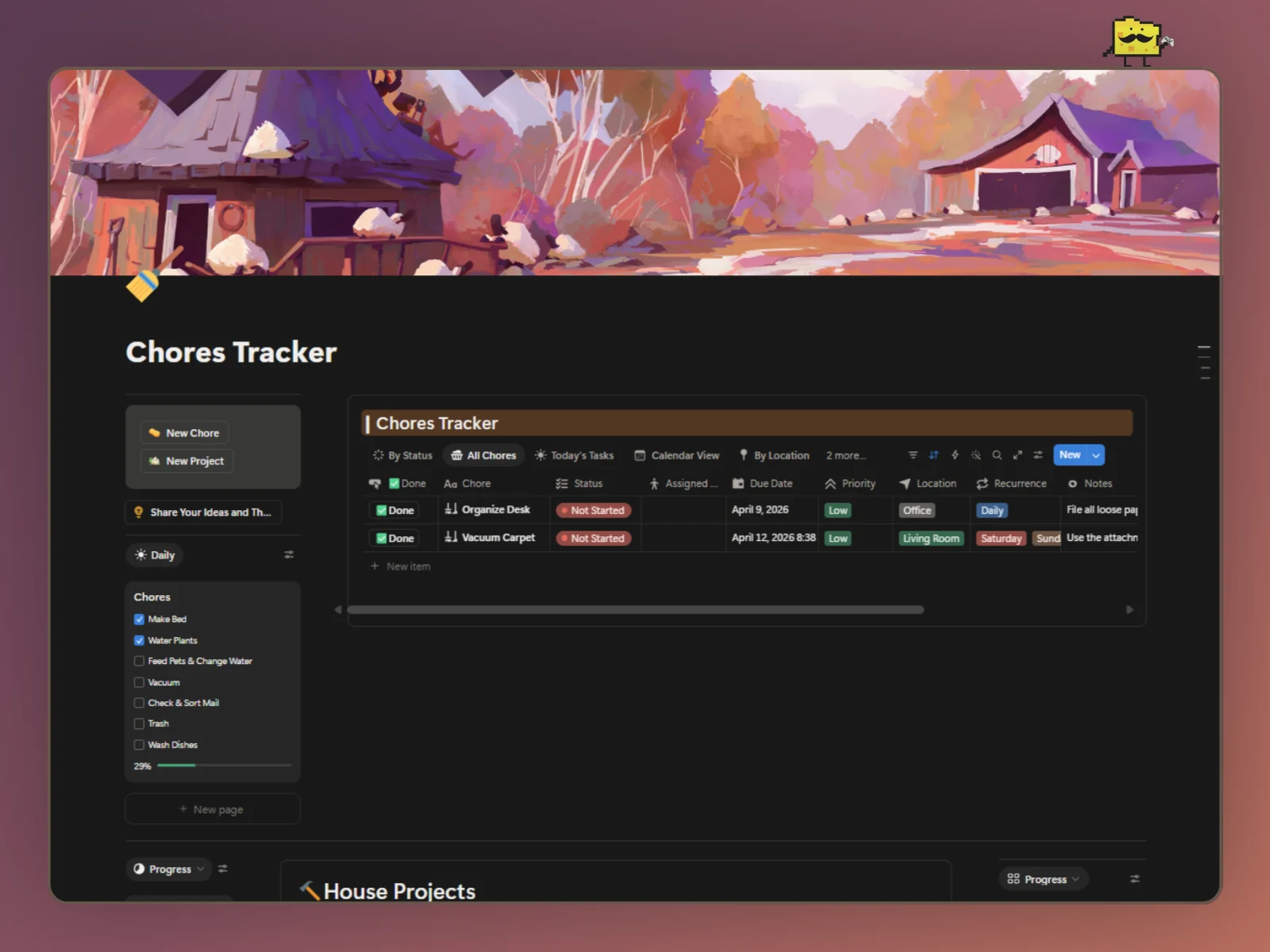
Thumbnail preview
Why Chores Need a System
Chores shouldn't have to live in your head.
There's always something that needs doing: clean this, take that out, put this away. The problem was never that the work exists. It's that it stays invisible until someone remembers, or forgets, or argues about who forgot.
Chores OS exists to give that work a system: a board, a click to mark it done, and a way for it to come back around on its own.
Why it works
Every small piece, doing something on purpose
The work nobody notices still matters
Household work is repetitive and disappears the moment it's done. Chores OS makes it visible, so it's easier to see and stay on top of.
Done in one click
Mark a chore complete with a single click, no extra steps, no separate log to fill out.
Repeats without needing to be remembered
The recurring chore scheduler brings chores back on their own schedule, so nobody has to be the one who remembers to re-add them.
Works for the whole household
Chores OS keeps everyone on the same page. Everyone can see what needs to be done, who it's assigned to, and what's been completed, so chores don't have to live in one person's head.
The System
This isn't a chore list.
Tap or hover any node to see what it does.
Take a Look
See the real system
These are real screenshots taken straight from the template. I'll be polishing them up over time.
Who it's for
Is this for you?
Yes, if you
- Families who want chores to feel like a shared system instead of a recurring argument.
- Roommates who want a simple, visible way to track what's getting done.
- Anyone who likes an organized system more than a running mental list.
- Households who want less admin, not more, the one-click completion keeps it fast.
Probably not, if you
- Wants a fully automated household-management app
- Doesn't want to use Notion
- Wants chores managed automatically by a smart-home system

Made by Gerald
Household work is easy to overlook because it disappears the moment it's done. Chores OS exists to give it a system, simple enough that completing something is one click, and repeat chores never need to be remembered.
Make the work visible. Make the system simple.
A better way to organize the responsibilities that keep home moving.
What makes Cheese different
You only get one life. Build it well.
I don't think your money, school, habits, health, and goals are separate problems. They're all pieces of the same life.
That's why I build Cheese differently. Instead of giving you another app to manage, I make Notion systems that help you organize the things that matter, make progress on them and actually enjoy the process a little more.
Because you only get one life. It deserves a system built around it.
Questions
Frequently asked questions
Yes, Chores OS is the renamed version of the same product. Same system, new name.
Testimonials
What customers say
No written reviews match that filter yet.
What's new
Product updates
Smarter features
Added smarter and practical features to make the system work better for you.
- Chores can take turns. Type a list of names into Rotation and Assigned to shows whose turn it is. Pressing Done hands the chore to the next person, then wraps back round to the first.
- Two ways to repeat. Pick weekdays, like Monday and Thursday for trash night or pick an interval, Daily through Yearly, which counts from the day you actually press Done, so finishing a weekly chore late puts the next one a week from that day.
- Status looks after itself. Done sets recurring chores back to Not Started, ready for next time, and marks one-off chores Completed.
- One press clears your daily list. The Reset Daily button unchecks every daily chore at once.
- Rewritten documentation. The How to Use This Template toggle is now a five-minute setup, a daily routine and short setup steps, and the new Chore OS Template Guide walks through every property, button and formula, with customization ideas and troubleshooting.
Your turn
How is Chores OS going?
A star rating is all I need. Everything else is optional, so add as much or as little as you want.
Suggest a change, or follow along
Have an idea?
Help shape the next version. I read everything myself.
Stay connected
Want to see what I'm building next? Occasional updates, new systems, and ideas.